
Send the fire control plan to class
Rev. C of the fire control plan is approved for construction — you made it so. Class has not seen it. Until it goes out on a transmittal, the surveyor is still holding rev. B, the one they rejected.
This exercise is the sending. It is in two halves, and the first one is a five-minute job nobody does twice.
First: say who you are
The transmittal cover sheet is generated, not typed — and it gets its letterhead from exactly one record in the workspace. Open Management → Company info.
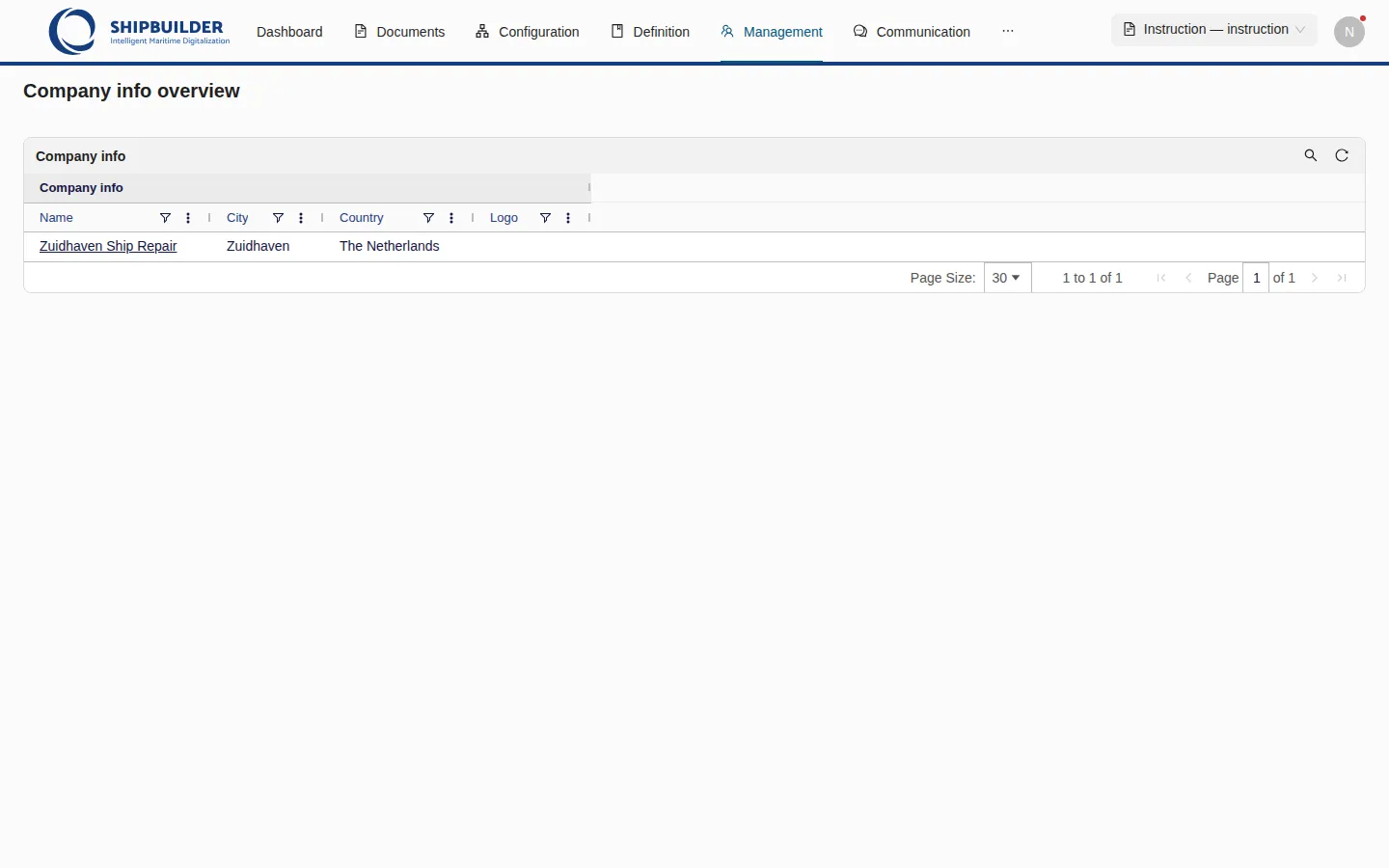
It is a grid holding a single row, and in your workspace it is empty. Right-click, Create Company info, and fill it in for the yard:
| Field | |
|---|---|
| Name | Zuidhaven Ship Repair |
| Address | Havenweg 12 |
| Postal code | 3253 AB |
| City | Zuidhaven |
| Country | The Netherlands |
| Phone | +31 187 555 0140 |
| documents@zuidhaven.example | |
| Website | www.zuidhaven.example |
Only Name, City and Country are checked, but fill the rest in — you are about to look at the cover it produces. The remaining fields are on the row’s own page: click the name to open it.
Then: build the transmittal
Open Communication → Transmittals and right-click anywhere in the grid.
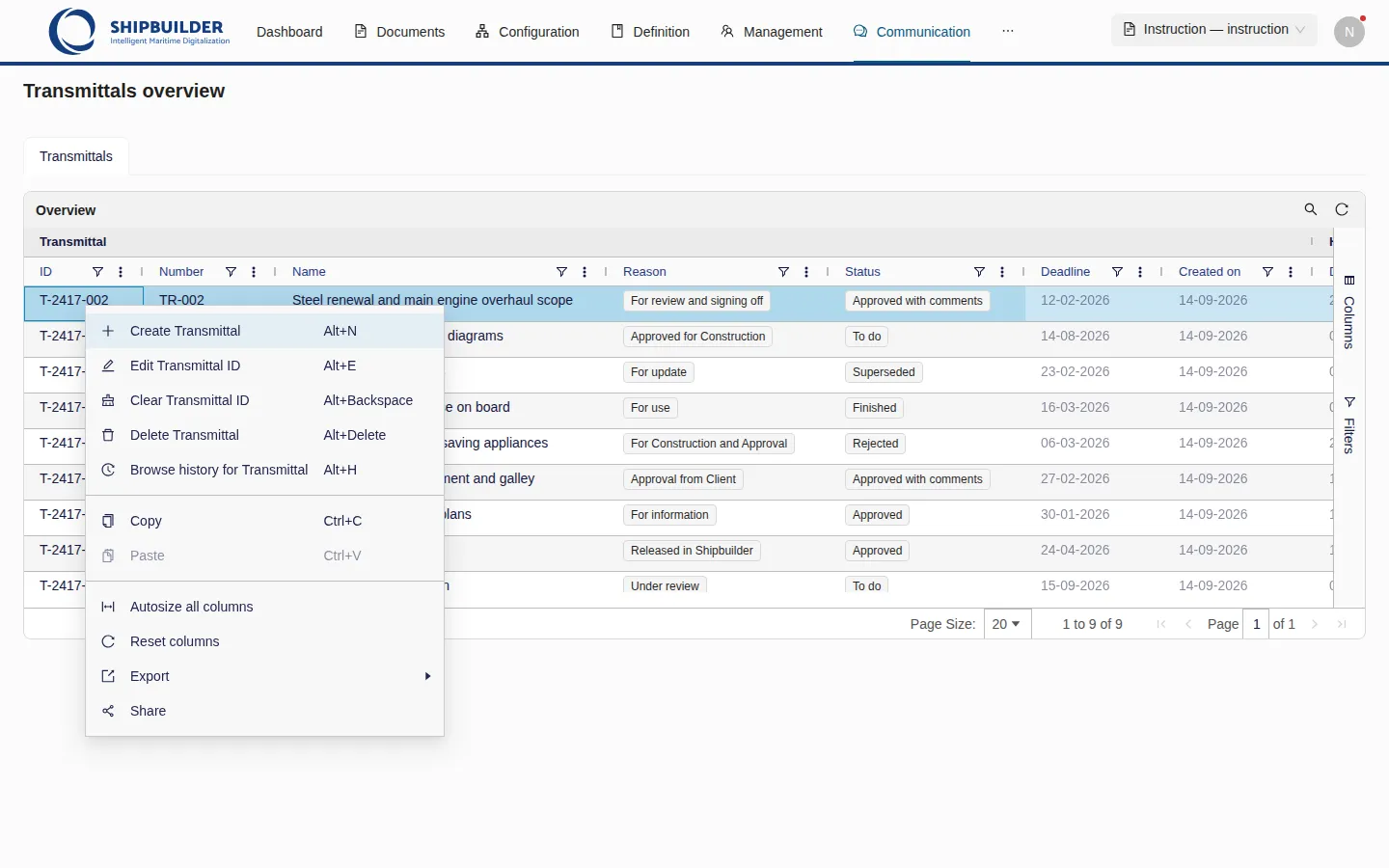
Create Transmittal, then fill the new row:
| Field | |
|---|---|
| Number | TR-012 |
| ID | T-2417-012 |
| Name | something that says what it carries |
| Reason | a value from the list — the drawing is approved for construction |
Then open it by its number, because the last two things are relationships rather than fields:
- Has recipients → right-click, Select, Noordzee Register. Class reviews a fire control plan; the owner does not.
- Includes documents → right-click, Select, rev. C of R2417-540-001.
Last: send it
You are already on TR-012’s page, so use the Share action at the top of it. It is an icon rather than a labelled button — the share glyph in the pane’s header, next to the cross that closes it.
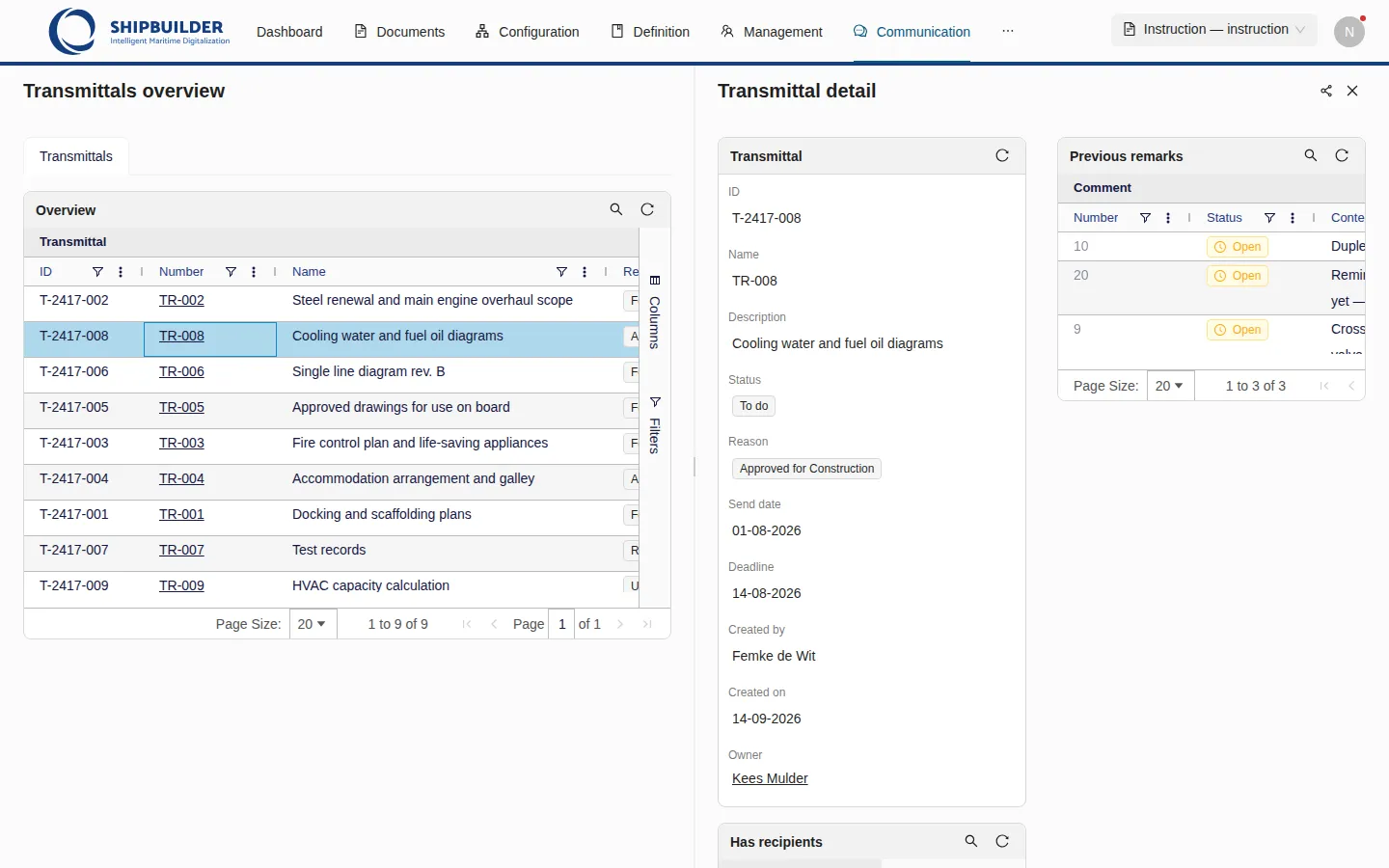
The same export also sits in the right-click menu of the transmittal’s row on the overview — the two are one feature, and which you use is only a question of where you happen to be. Sending from the page is the better habit: it is the only place you can see what the transmittal actually carries before you commit to sending it.
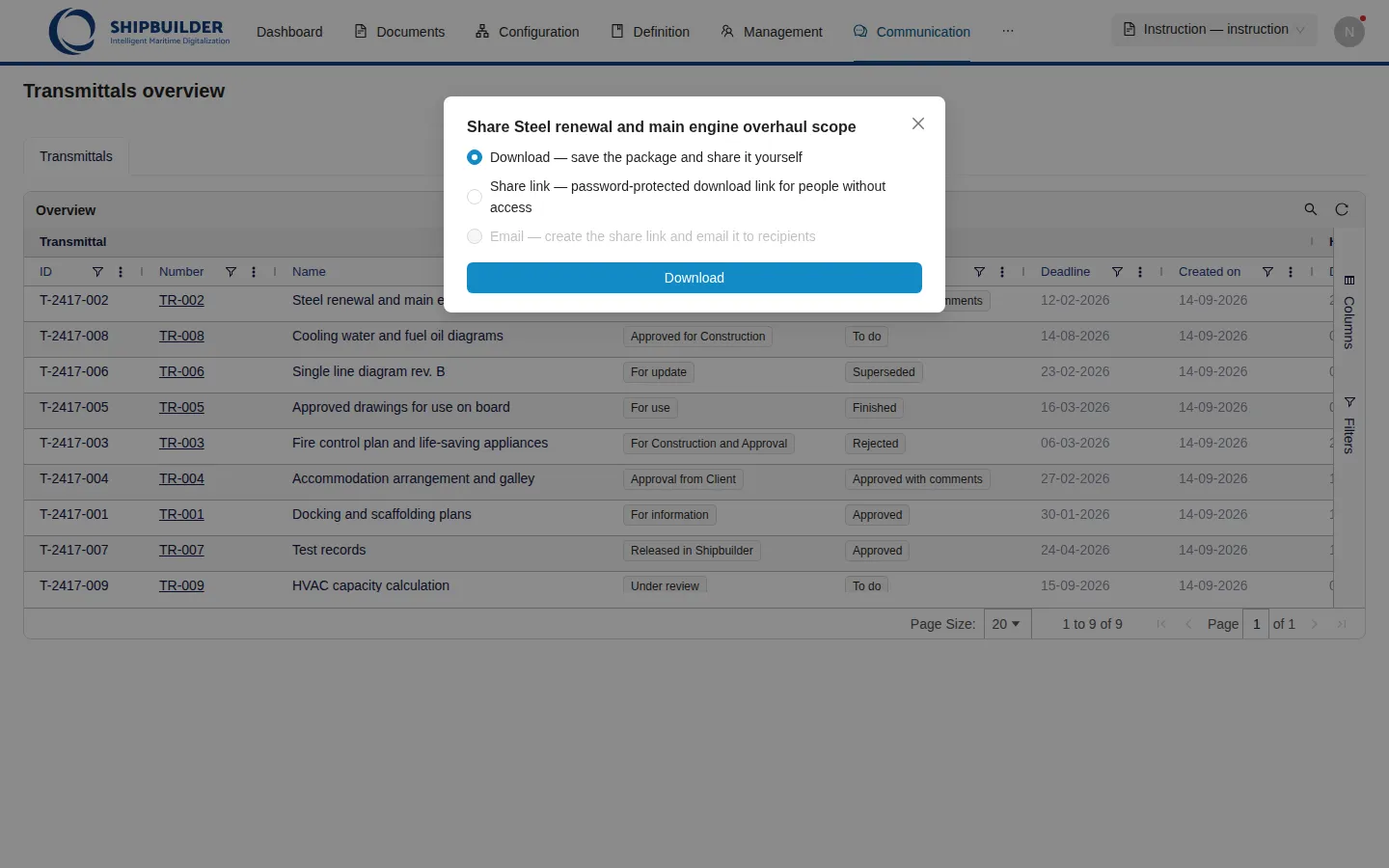
Take Download. You get a zip: the generated cover sheet, a Documents
folder with each revision’s own file, and a PDF folder with its rendition.
Open the cover and look at the header — that is the record you filled in ten
minutes ago.
A warning appears in the corner saying one document had no file and was omitted. That is correct and you have done nothing wrong: nobody ever uploaded a drawing to rev. C — the revision exists, its file cell is empty, and the export says so rather than sending a zip that quietly lacks the one thing it is about.
The other two options are worth knowing about now that you are here:
- Share link builds the same package and puts it behind a password-protected URL that expires in seven days, for a recipient with no Shipbuilder account. The password is shown once, and it is meant to travel by a different route than the link.
- Email is greyed out, and that is configuration rather than breakage: this workspace records no e-mail address on a person or an organisation, so there would be nothing to send it to.
Checked for you
Sign in to check your work.
Check yourself
Ticking these is for you; nothing is recorded.
What to notice afterwards
Go back to the Transmittals overview. TR-012 now has a Date sent you never typed, and a Deadline counted from it. Beside them is Created on, which is the audit stamp from when you made the row — the two look similar and answer different questions: when you started writing it, and when it went out.
For the nine transmittals that were already there, the two dates are far apart. For yours, they are the same day.